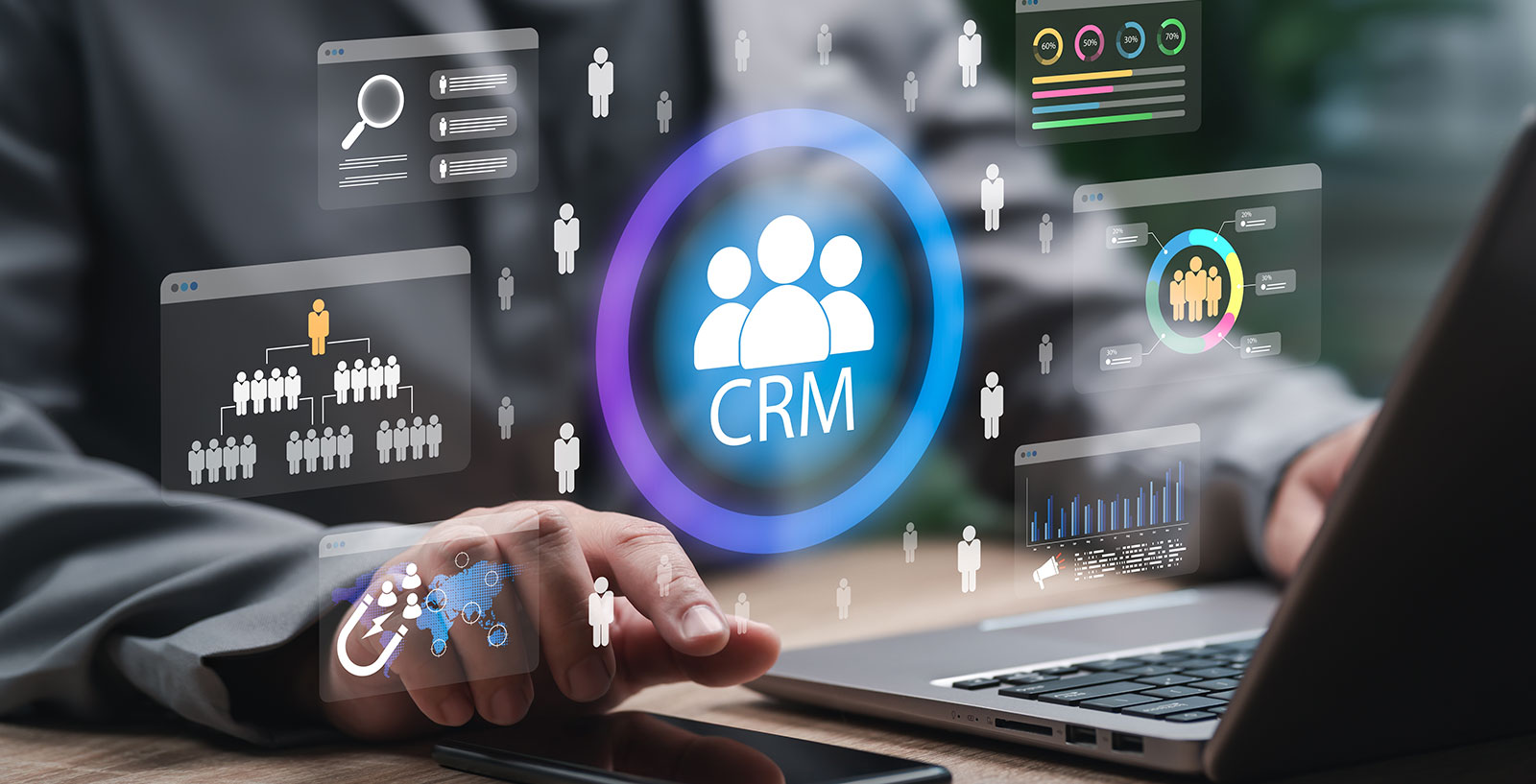
Enquiries · Customers · Notes · Follow-ups · Reports
CRM Systems for Small Businesses
Simple, practical CRM-style systems built around how your business actually works, helping you organise enquiries, customers, notes, follow-ups and reports in one place.
Keep customer information organised
Many small businesses start with emails, spreadsheets and notes to track enquiries and customers. This works at first, but becomes harder to manage as the business grows and more enquiries come in.
Purple Cloud Solutions can build simple CRM-style systems that help keep important information in one place. Website enquiries, customer records, notes, follow-ups, job status and basic reporting can all be brought together into a private dashboard shaped around how your business actually works.
Where staff access is needed, that can be planned as part of the project. More advanced features, integrations and permissions can be discussed and scoped according to your requirements.
What a CRM system can help with
Practical tools that keep enquiries, customers and activity visible and organised without unnecessary complexity.
Enquiry management
Capture and organise website enquiries in a private dashboard. View status, filter by type, update details and follow up without relying on a shared inbox.
Customer records
Keep each customer in one place: contact details, enquiry history, services requested, notes and any relevant documents, all easily accessible.
Notes and activity history
Log calls, emails, visits and decisions alongside each customer or enquiry. Know exactly what happened and what was agreed, without searching through email threads.
Follow-up reminders
Set follow-up dates for enquiries, jobs or customers so nothing falls through the cracks. A simple reminder system keeps important actions visible.
Job or project status
Track the status of jobs, projects or service requests from initial enquiry through to completion. Useful for any business that moves customers through a process.
Reporting dashboards
See how many enquiries came in, how many were followed up, which services are most requested and where things stand across your pipeline.
A system shaped around your business
Off-the-shelf CRM platforms can be too complex or too expensive for small businesses that only need a focused system for their specific workflow. A custom CRM-style dashboard can be built around the information you actually need to collect, update and review.
Examples of what a custom dashboard can include:
- A website enquiry form feeds directly into a private admin dashboard
- Each enquiry is stored with the customer name, service, contact details and date
- The person responsible is notified and can update the status
- Notes are added when calls are made or site visits happen
- A follow-up date is set and appears in a reminders view
- Completed jobs are marked and excluded from active views
- A summary report shows open enquiries and recent activity
More advanced features, integrations and permissions can be discussed and scoped as part of the project.
Enquiry Dashboard
14
Open enquiries
5
Follow-ups due
91%
Responded
- Customer name and contact details
- Service type and enquiry source
- Current status and assigned staff
- Internal notes and activity log
- Follow-up date and reminder flag
- Completed jobs view and basic report
What an enquiry record might include
- Source Website contact form, phone, referral
- Service type Which service was enquired about
- Contact details Name, phone, email, location
- Status New, in progress, quoted, won, lost
- Assigned to Owner or staff member responsible
- Notes Internal notes from calls or visits
- Follow-up date When to contact the customer next
Connect website enquiries to your CRM
Instead of letting enquiries sit only in an inbox, website forms can feed into a private dashboard where they can be viewed, filtered, updated and followed up in a structured way.
Each enquiry can be stored with the customer's contact details, the service they asked about, how they found the business and any notes from the first conversation. Status labels and follow-up dates keep active enquiries visible and prevent things from being forgotten.
This kind of setup connects naturally with the website design work Purple Cloud Solutions already does, and with the automation workflows available through the AI Automation & Business Systems service.
See the history behind each customer
A useful CRM should make it easier to see who contacted you, what they asked for, what happened next and what still needs doing. Whether you are handling an ongoing job, a repeat customer or a new enquiry, the relevant history should be easy to find.
Purple Cloud Solutions can build customer records that include contact details, enquiry history, internal notes, appointment or job notes, status updates and follow-up reminders. The exact fields and structure are agreed during the planning stage and built to match how your business actually works.
Discuss a CRM system for your businessExample customer record
- Contact
- Name, phone, email, address
- Enquiry history
- All past enquiries from this customer
- Services
- Services requested or delivered
- Notes
- Internal notes from calls and visits
- Job/project
- Active or completed work
- Status
- Current relationship stage
- Follow-up
- Next contact date and reminder
A clearer view of your enquiries and activity
CRM dashboards can help you understand what is coming in, what has been followed up and what needs attention, without having to dig through emails or spreadsheets.
New and open enquiries
See how many enquiries have come in today, this week or this month, and how many are still open and waiting for a response.
Completed jobs and projects
Track what has been completed, when it was finished and what the outcome was. Useful for reviewing how the business is progressing.
Missed follow-ups
Flag enquiries or customers where a follow-up date has passed without action, so nothing is forgotten in a busy week.
Enquiry categories
Understand which services are most commonly requested and where enquiries are coming from, to help with planning and marketing.
Activity summaries
A simple summary of what has happened across the business, without the need for complex analytics tools or manual data pulling.
Staff activity overview
Where staff access is part of the system, see which team member is handling which enquiries and what the overall workload looks like.
Private dashboards and client portals
Some businesses also need a simple portal or private area where staff or clients can view selected information. This can be useful for sharing reports, project updates, support request history or client records with the right people.
Any portal, login, permission or data access feature needs to be carefully planned for security and privacy before build. These features add complexity and cost, but are straightforward to scope properly during the planning stage.
Common examples include a staff admin view for managing enquiries, a client-facing area for reviewing project status or a simple reporting area accessible to business owners without requiring direct database access.
Discuss a portal for your businessWhat a private dashboard might allow
- Owner admin view Full access to enquiries, records and reports
- Staff access View and update assigned enquiries only
- Client reporting view Selected reports or project summaries
- Project status page Read-only view of live project progress
- Support request log Client view of their submitted requests
Portal and login features require proper planning. Security, permissions and data access are scoped before build.
Who this is useful for
CRM systems are most useful for businesses that receive regular enquiries and need to track customers, jobs or projects through multiple stages. If you are currently managing customer records in a spreadsheet, losing track of follow-ups in your inbox or relying on memory for job status, a focused custom system can make a real difference.
Talk to Purple Cloud Solutions about your workflow-
Trades and construction businesses
Manage job enquiries, site visits, quotes and project status without losing track of customer details.
-
Clinics and appointment-based businesses
Keep patient or client records, appointment notes and follow-ups organised in one place.
-
Ecommerce and hire businesses
Track customer accounts, orders, hire requests and any after-sales contact.
-
Professional services
Manage client onboarding, project notes, deliverables and billing status across multiple clients.
-
Service businesses replacing spreadsheets
Move away from shared spreadsheets and email folders into a proper system your whole team can use.
-
Businesses losing enquiries in their inbox
Stop relying on email threads to track customer conversations. A dashboard keeps everything visible.
How we build CRM systems
A clear process from initial conversation through to launch and ongoing support.
-
Understand your current workflow
We start by reviewing how your business currently handles enquiries, customers and admin, to understand what is working, what is not and where the friction is.
-
Decide what information needs to be stored
We agree on what data needs to be captured: customer fields, enquiry types, job or project stages, notes format and any status labels.
-
Plan dashboard views and user access
We design the dashboard views that match your real workflow: what you see when you log in, how you filter enquiries and how staff access is managed where needed.
-
Build the CRM-style system
We build the system to your agreed specification. This includes the data structure, admin views, forms and any report pages.
-
Test forms, notifications and reporting
Before going live, we test all data capture, notifications, status updates and report views to make sure everything works as expected.
-
Launch, train and refine
Once the system is live, we provide training and support. Many CRM systems benefit from a short period of refinement once the team starts using them day to day.
CRM systems can work with automation
A CRM dashboard becomes more useful when it connects with notifications, reminders and carefully used automation. Purple Cloud Solutions can also help with email notifications when new enquiries arrive, follow-up reminders and AI summaries of incoming messages.
These automation features are part of the AI Automation & Business Systems service. They can be scoped separately or as part of a larger project that includes both the CRM system and supporting workflows.
View AI Automation & Business SystemsWhat automation can add to a CRM
- Email notification when a new enquiry arrives
- Follow-up reminder when a due date is reached
- AI summary of a long or complex enquiry
- Daily or weekly digest of open enquiries
- Customer acknowledgement email on form submission
CRM system project options
Guide prices only. Costs depend on the size of the system, number of users, data structure, reporting requirements, integrations and whether forms, email notifications or portals are needed. Purple Cloud Solutions will review the workflow first and provide a clear quote before any work begins.
Simple enquiry dashboard
from £750
A private view of website enquiry submissions, with status, notes and basic follow-up tracking. Suitable for small businesses replacing a shared inbox.
Custom CRM-style system
from £2,500
A more complete system with customer records, multi-stage status, notes, reminders and reporting. Scoped to your specific workflow.
Client portal or private dashboard
from £5,000
A login-protected area for staff or clients to access selected records, reports or project updates. Requires proper planning for security and data access.
CRM improvements and workflow add-ons
priced by scope
Adding features to an existing CRM system, such as new report views, additional form integrations, staff roles or workflow improvements.
Ongoing support
from £75/month
Ongoing monitoring, minor changes, refinements and technical support after the system is launched.
All prices shown are guide figures only and not fixed quotes. Every project is scoped individually. Payment integrations, accounting system connections, complex third-party API integrations and multi-user role systems are not included as standard and would need to be assessed separately.
What a CRM system is not
It is worth being clear about what a custom CRM system can and cannot do.
-
Not a magic fix for an unclear process
A CRM system works best when you already have a reasonably clear idea of how your business handles enquiries and customers. Building it around a confused workflow tends to produce a confused system.
-
Not always better than an off-the-shelf tool
If you need enterprise-level sales automation, call logging, territory management or thousands of user seats, a platform like HubSpot or Salesforce may be more appropriate. A custom system is best when off-the-shelf tools are overkill or a poor fit for your specific workflow.
-
Not a replacement for people using it properly
A CRM system is only as useful as the data inside it. If enquiries are not being logged, notes are not being added and statuses are not being updated, the system will not deliver its value.
-
Not a one-size-fits-all product
Every business has different fields, stages and workflows. The value of a custom CRM is that it is shaped around your specific process, not a generic template.
Frequently asked questions about CRM systems
What is a CRM system?
A CRM (Customer Relationship Management) system is a tool that helps businesses organise and manage their customer and enquiry information. Rather than relying on spreadsheets, email inboxes or memory, a CRM system keeps contact details, notes, history, status and follow-up dates in one accessible place. A custom CRM from Purple Cloud Solutions is built around your specific workflow rather than a generic template.
Can you build a CRM for a small business?
Yes. Purple Cloud Solutions builds focused, practical CRM-style systems for small and medium-sized businesses. The system is shaped around your actual workflow: what information you need to capture, how jobs or enquiries move through stages and what you need to report on. We do not build complex enterprise platforms unless that is specifically what is needed.
Can website enquiries go straight into the CRM?
Yes. Website contact forms and enquiry forms can be connected so that submissions are stored automatically in your CRM dashboard, rather than just arriving in an email inbox. This means enquiries are captured, organised and visible without manual data entry.
Can staff access the CRM?
Staff access depends on the scope of the system. A simple enquiry dashboard may be accessible to one or two users. More complex systems with different user roles, access permissions and visibility rules need to be planned and scoped before build, as these features add complexity and cost.
Can you add follow-up reminders?
Yes. Follow-up reminders are a common feature of CRM systems built by Purple Cloud Solutions. You can set a follow-up date for an enquiry or customer, and the system will surface upcoming or overdue reminders in a clear view. How advanced the reminder system is depends on the scope of the project.
Can the CRM send email notifications?
Email notifications such as alerts when a new enquiry arrives, or reminders when a follow-up is due, can be added as part of the project or as a connected automation. This is closely linked to the AI Automation and Business Systems work Purple Cloud Solutions also offers. The scope and cost would be confirmed before build.
Can you build a client portal?
Yes, client portals and private dashboards where selected users can log in and view reports, project updates or records are possible. These require careful planning for security, login management and data access. Any portal feature needs to be properly scoped before work begins.
How much does a CRM system cost?
Costs depend on the size and complexity of the system, the number of users, data structure, reporting requirements, integrations and whether forms, email notifications or portals are needed. A simple enquiry dashboard typically starts from £750. A more complete custom CRM-style system typically starts from £2,500. Larger systems with portals or multiple workflows are priced from £5,000 and scoped individually. Ongoing support is available from £75 per month. These are guide figures only.
Is a custom CRM better than HubSpot or Salesforce?
Not always. For businesses that need large-scale sales automation, territory management or hundreds of user seats, a platform like HubSpot or Salesforce may be a better fit. A custom CRM-style system works well when off-the-shelf platforms are too complex, too expensive or a poor match for how your business actually works. Purple Cloud Solutions can help you think through which approach makes sense before committing to build.
Can the CRM connect with AI automation?
Yes. CRM systems built by Purple Cloud Solutions can be connected with automation workflows, including email notifications when new enquiries arrive, follow-up reminders and AI-assisted summaries of incoming messages. This is the kind of work covered by the AI Automation and Business Systems service. The connection between a CRM and automation is planned as part of the project scope.
Need a simpler way to manage enquiries and customers?
Purple Cloud Solutions can help plan and build a CRM-style system that keeps enquiries, customers, notes, follow-ups and useful reports easier to manage.